In Parallels there is a mode called Coherence mode. What this does is it limits the view of the windows desktop, hiding the start menu and the desktop and only showing the virtual machine if an app is open.
To get out of this mode, click on the Parallels icon at the top right of the screen, go into view, then click "Exit Coherence"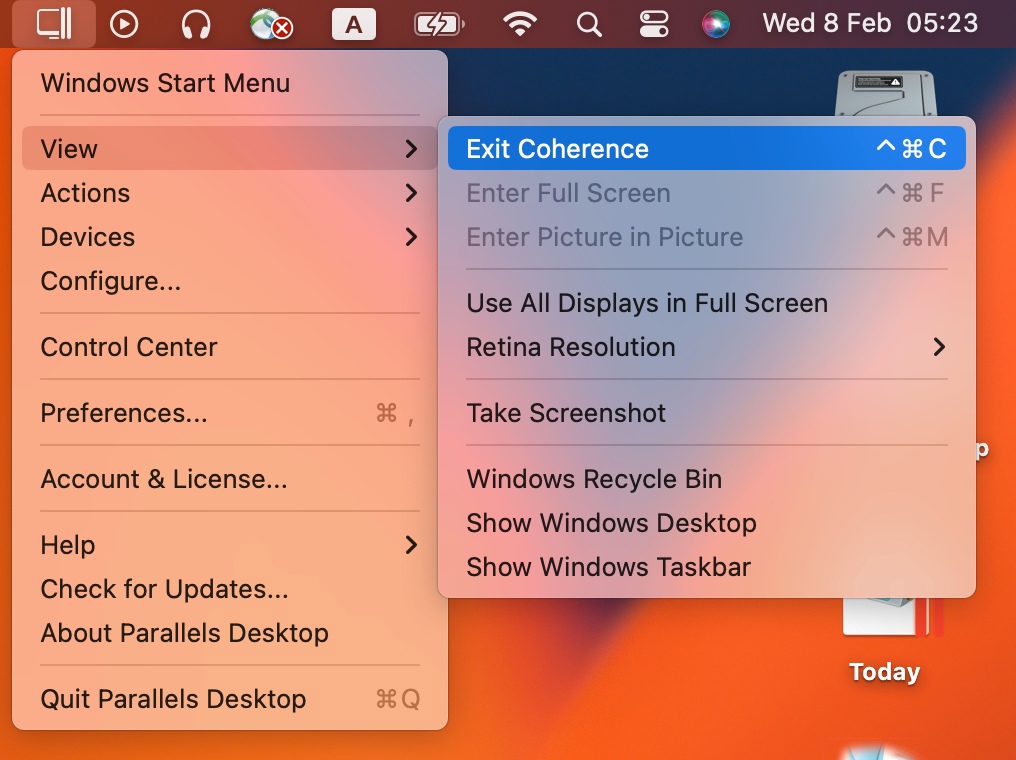
Was this article helpful?
That’s Great!
Thank you for your feedback
Sorry! We couldn't be helpful
Thank you for your feedback
Feedback sent
We appreciate your effort and will try to fix the article